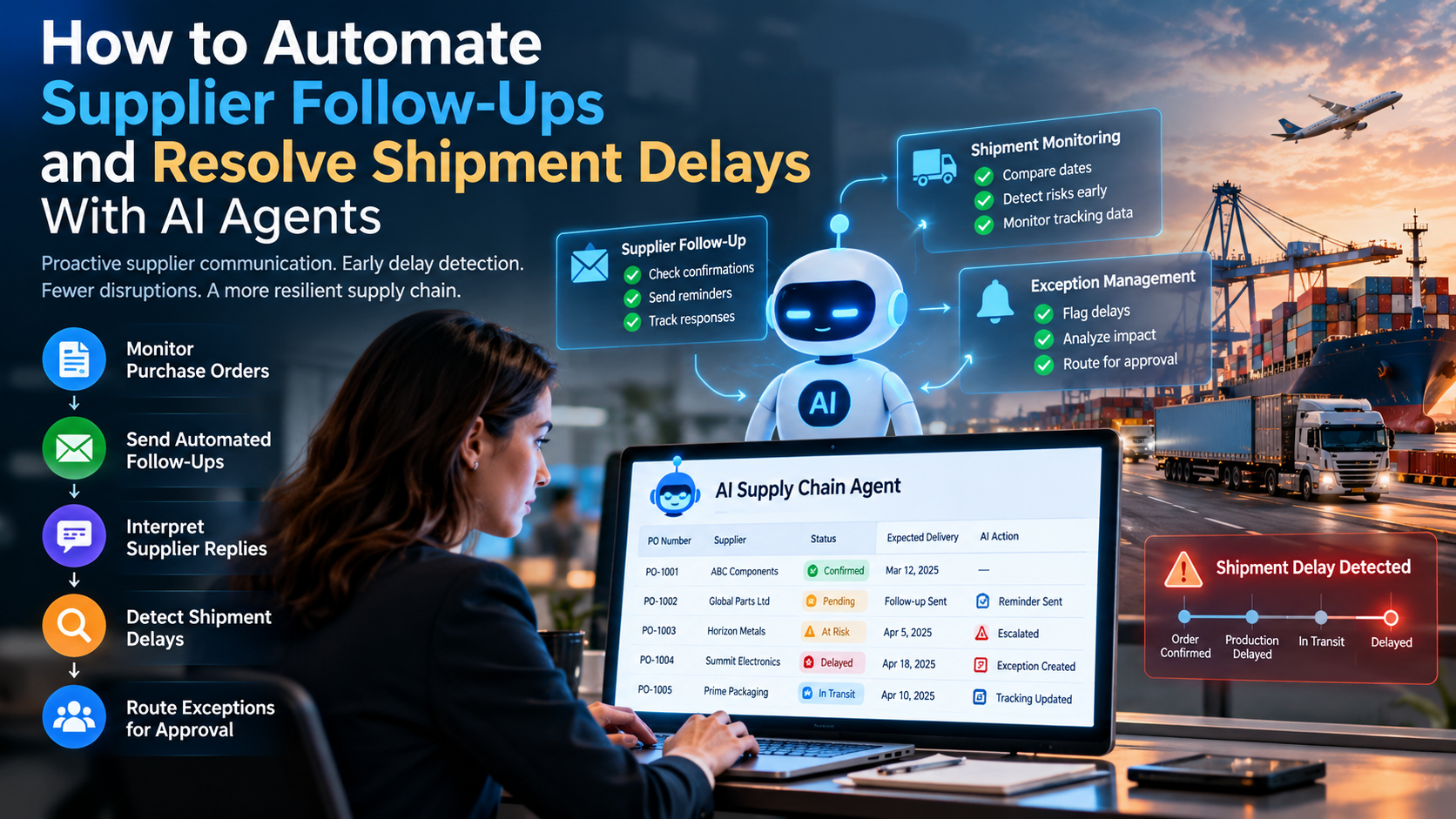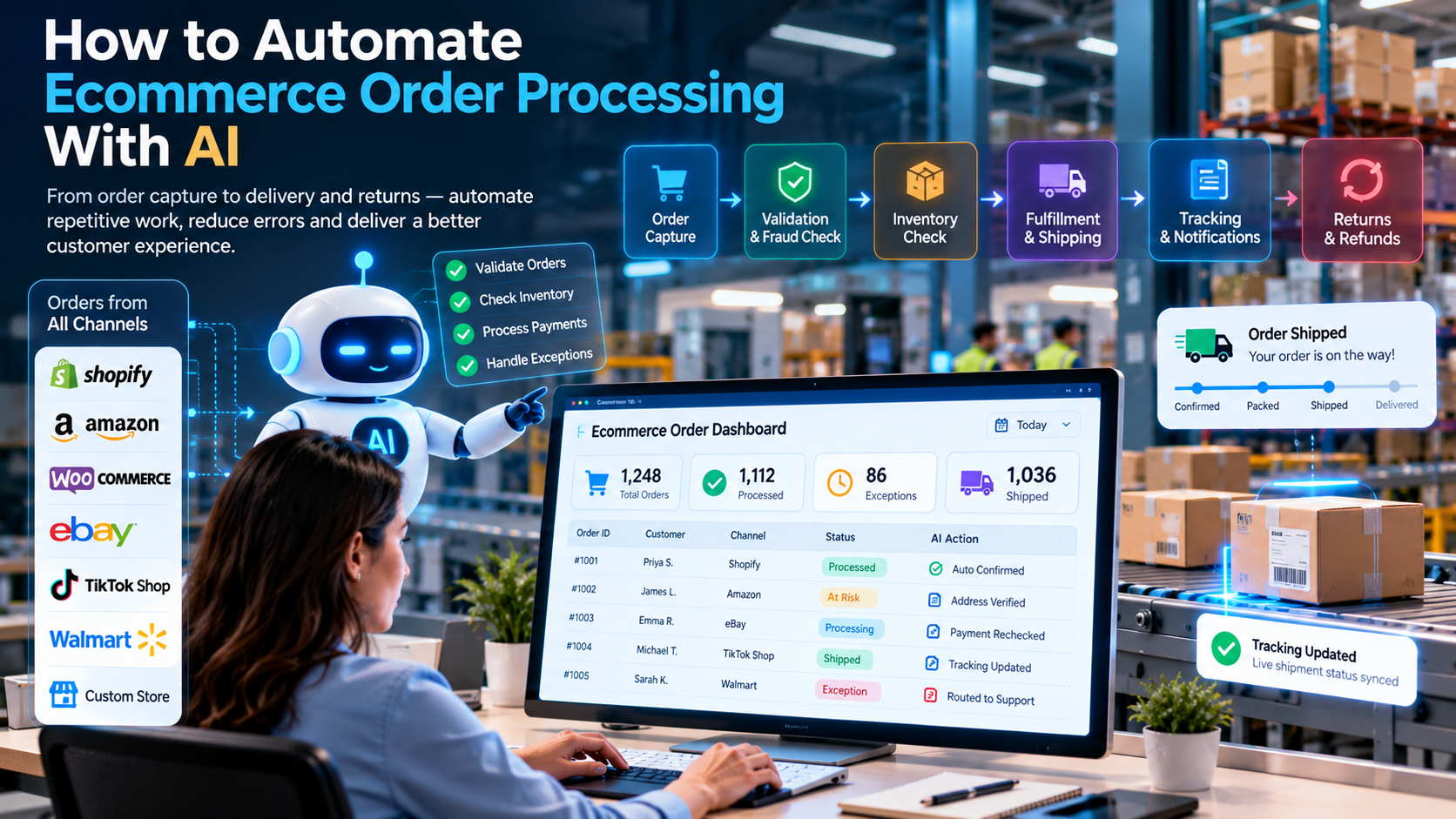
AI can automate ecommerce order processing by capturing orders from every channel, validating customer and product data, checking stock and payment status, routing each order to the right fulfilment step, updating tracking and notifying customers. Exceptions such as address problems, stock shortfalls or payment holds go to a person with the full context attached. The goal is not to remove people from order operations. It is to remove the repetitive copying, checking and chasing that slows orders down and causes avoidable errors.
Every online order passes through many small steps: it arrives from a storefront or marketplace, is checked for payment and address, is matched to stock, is picked and packed, ships, and then generates tracking updates and possibly a return. When those steps depend on people copying data between systems, delays and mistakes multiply, especially during seasonal peaks.
This guide explains where ecommerce order processing usually breaks, which parts of the flow benefit from AI and which should stay rule-based, a step-by-step implementation approach, and the metrics that show whether the automation is working.
Quick answer: To automate ecommerce order processing with AI, connect your storefronts, marketplaces, order management system (OMS), inventory and shipping tools; let rules handle clear checks such as payment status and stock; use AI to read unstructured inputs such as customer messages and addresses; and route exceptions to staff with the context they need.
Where ecommerce order processing usually breaks
Most order problems are not dramatic. They are small, repeated gaps.
1. Orders arrive from many channels in many formats
A single business may take orders through its own website, two or three marketplaces, social commerce and phone or email. Each channel has its own fields, status codes and cut-off times. Staff who copy orders into one system by hand introduce typos, miss duplicates and fall behind during busy periods.
2. Stock levels are out of date
When a product sells on one channel, the stock shown on another channel may not change quickly enough. The result is oversold orders, cancellations and unhappy customers. Stock accuracy depends on how often inventory data is updated between systems, not only on how many units are on the shelf.
3. Address and product data are inconsistent
Incomplete postcodes, misspelt city names, duplicate customer records and product names that do not match the catalogue all cause failed deliveries and manual corrections. Most of these problems can be caught by validation rules before the order reaches the warehouse.
4. Exceptions are handled by email and memory
A payment that is declined, a bundle with one missing item, or a gift message that needs a decision often ends up in a shared inbox. Without clear routing, the order waits while people try to work out who owns it.
5. Customers have to ask where their order is
When tracking information is not synced back to the order, support teams spend time answering "where is my order?" messages. Customers expect proactive updates, not repeated enquiries.
6. Returns and refunds create a second order process
Returns require eligibility checks, reverse logistics, inspection, restocking and a refund decision. When these steps run separately from the original order, reconciliation becomes difficult and refunds are delayed.
Which parts of order processing benefit from AI
Not every step needs artificial intelligence. Predictable, rule-based checks are usually more reliable and cheaper when they are written as rules. AI is most useful where information is unstructured or where judgement about context is needed.
| Order task | Best approach | Why |
|---|---|---|
| Payment status check | Rule-based integration | Clear yes or no from the payment provider |
| Stock availability | Rule-based with real-time sync | Numbers must be exact |
| Duplicate order detection | Rules plus matching logic | Compares defined fields consistently |
| Address validation | Validation service plus rules | Checks against postal data |
| Reading customer emails or chat messages | AI | Free text needs interpretation |
| Extracting details from supplier or carrier documents | AI with human review | Layouts vary |
| Classifying exceptions and suggesting a next step | AI within set policies | Needs context across several records |
| Refund approval above a set value | Human approval | A financial decision |
This split matters. AI agents work best when rules keep control of payments, stock and policy, and AI handles the messy language and context around them.
The workflow: from order capture to delivered and closed
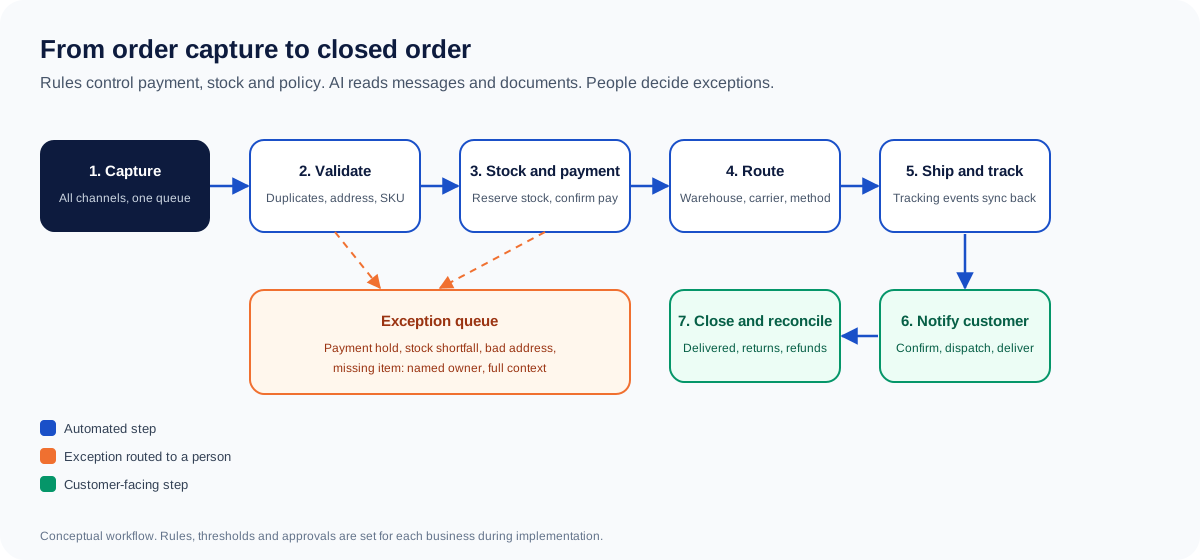
A well-designed flow looks like this:
- Capture: orders from all channels arrive in one queue with a standard structure.
- Validate: the system checks required fields, duplicates, product codes and address format.
- Confirm stock and payment: inventory is reserved and payment status is confirmed before fulfilment starts.
- Route: the order goes to the right warehouse, carrier or fulfilment method based on rules such as location, stock and service level.
- Ship and track: shipment details and tracking events update the order automatically.
- Notify: the customer receives confirmation, dispatch and delivery updates through the channel they chose.
- Handle exceptions: anything outside the rules is routed to a named owner with the order history, the reason it was flagged and the suggested next step.
- Close and reconcile: delivered orders, returns and refunds are reconciled against the original order.
How to implement it step by step
Step 1: Map the current order journey. Follow ten recent orders from channel to delivery and record every manual touchpoint, every system used and every place where an order waits. This shows the real bottlenecks, which are often different from the ones people assume.
Step 2: Fix the data foundation. Agree one product identifier across channels, a standard order structure, status definitions (for example, "awaiting stock" versus "on hold") and the cut-off times for each carrier. Automation amplifies whatever data it receives, so clean data comes first.
Step 3: Automate the rule-based checks. Connect payment, stock, address validation and carrier systems. Start with the checks that cause the most rework, such as stock accuracy and duplicate detection.
Step 4: Add AI where language and context matter. Use AI to read customer messages, classify order-related enquiries, extract details from supplier or carrier documents and draft responses for review. Keep draft-only mode until the team trusts the output.
Step 5: Design exception handling before going live. Define what counts as an exception, who owns each type, how fast it must be actioned, and when it escalates. A good exception queue shows the order, the cause, the evidence and one or two recommended actions.
Step 6: Pilot, measure and expand. Start with one channel or one product range, compare results with the baseline you recorded in Step 1, and widen the scope only after error rates and exception volumes are under control.
Architecture and integrations
Most ecommerce businesses already run a storefront, a marketplace integration and some form of order or warehouse system. The automation layer connects these rather than replacing them.
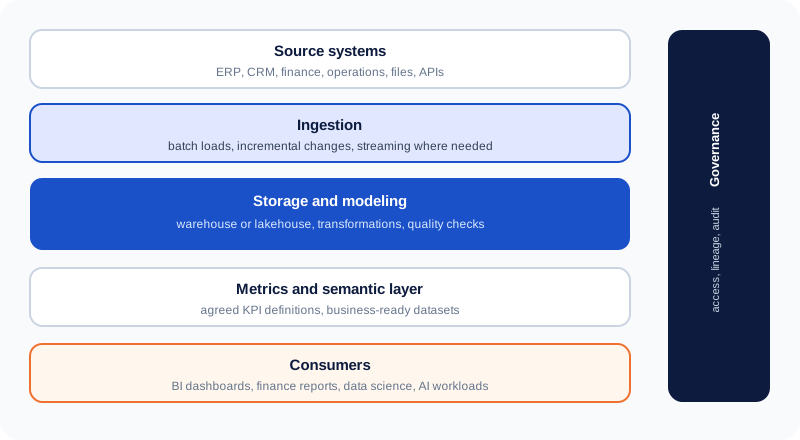
Typical integration points include:
- Storefront platforms such as Shopify, WooCommerce or Magento, through their order and inventory APIs.
- Marketplaces, where order and fee data arrive through platform APIs or settlement files.
- Order management and warehouse systems that hold fulfilment status and stock by location.
- Payment providers for capture and refund status.
- Carrier and shipping tools for labels, tracking events and delivery confirmation.
- Customer service tools where enquiries and ticket status need to be linked to orders.
Feasibility depends on each platform's API access, rate limits, data permissions and how reliably tracking events are published. Any integration should be confirmed for the specific platform and version before it is promised.
Handling exceptions without losing control
Exceptions are where automation earns its keep, or where it fails. Good design answers four questions for every exception type:
- What triggers it? For example, a payment decline, a stock shortfall or an address that fails validation.
- Who owns it? A named team or role, not a shared inbox.
- What context is attached? The order history, the rule that fired and the options available.
- What can the system do automatically? Often this is only drafting a message, creating a task or holding the order, while decisions such as refunds, substitutions or cancellations stay with a person.
Financial actions such as refunds above a threshold, price changes and order cancellations should always require authorised approval. Customer-facing messages should be checked against the approved policy before they are sent.
Measuring the impact
Track these measures against a baseline taken before the project starts:
| Measure | What it shows |
|---|---|
| Order processing time | How long an order takes from capture to dispatch |
| Manual touches per order | Whether staff effort is falling |
| Order error rate | Share of orders needing correction (wrong item, address or quantity) |
| Oversell and cancellation rate | Whether stock synchronisation is working |
| Exception rate and resolution time | Whether exceptions are visible and actioned |
| Customer "where is my order" contacts | Whether tracking updates reach customers |
| Return processing time | Whether the returns flow is closing properly |
| Cost per order processed | The operating cost of each order |
Avoid promising specific percentage gains before you have measured your own baseline. Published figures from vendors vary widely, and results depend on the starting point. For example, the order-automation vendor Esker discusses how to improve the order fulfilment process on its blog. Vendor-reported figures like these describe individual businesses and their own methods, not a guaranteed outcome for every business.
Common mistakes to avoid
- Automating a broken process. If the order journey is unclear, automation will repeat the confusion faster.
- Letting AI make financial decisions. Refunds, credits and price changes need explicit rules and human approval.
- Ignoring stock synchronisation. An automated order flow that sells stock it does not have creates more problems, not fewer.
- Sending customers unchecked messages. AI-drafted messages should follow approved wording and policy.
- Building exceptions last. The exception queue is part of the design, not an afterthought.
- Measuring activity instead of outcomes. The number of automated messages is less important than error rates, cycle time and cost per order.
How Cor Advance Solutions can help
Cor Advance Solutions helps ecommerce businesses design order automation around their own channels, systems and rules. A typical engagement starts with mapping the order journey, cleaning the data foundation and identifying the highest-value checks to automate first. From there, the work can include:
- AI automation for rule-based order checks, routing and status updates.
- AI agent development for agents that handle exception triage, customer enquiry context and approved next steps.
- Ecommerce data and analytics for stock, order and margin reporting across channels.
- Ecommerce AI chatbot development where customers need instant order status and product answers.
The right starting point depends on your channels, systems and order volumes. A focused pilot on one channel is usually a better first step than a full rebuild.
Frequently asked questions
How can AI automate ecommerce order processing?
AI and automation can capture orders from several channels, validate customer and product data, check stock and payment status, route orders to fulfilment, update tracking and notify customers. AI is most useful for reading unstructured inputs such as messages and documents, and for classifying exceptions. Rules handle payments, stock and policy.
Which order processing tasks should not be fully automated?
Refunds above a set value, price changes, order cancellations that affect revenue, and any decision with legal or financial consequences should keep human approval. Automation can prepare the case, but the decision belongs to an authorised person.
Does order automation require replacing our ecommerce platform?
Usually not. Most businesses connect automation to their existing storefront, marketplace, warehouse and payment systems through APIs or supported connectors. Feasibility depends on each platform's capabilities.
How do we prevent overselling across marketplaces?
Stock must be synchronised between channels and the warehouse at a frequency that matches your sales speed. Reserving stock at the moment of order capture, and setting safety buffers for fast-moving products, reduce the risk of selling units you do not have.
What is the first thing to automate?
Start with the checks that cause the most rework, usually stock accuracy, duplicate detection and address validation. These are rule-based and easy to measure before you add AI to the more complex steps.
How long does an order automation project take?
It depends on the number of channels, systems, data quality and exception types. A focused pilot on one channel can usually be scoped faster than a multi-channel rollout. A timeline should be set after reviewing your current flow and integrations.
How do we measure whether automation is working?
Compare order processing time, manual touches per order, order error rate, oversell rate, exception resolution time and cost per order against a baseline recorded before the project starts.
Can AI handle customer questions about orders?
Yes, for routine questions such as order status, delivery dates and return steps, when the system can access verified order data. Questions involving complaints, refunds or unusual circumstances should be escalated to a person with the order context attached.