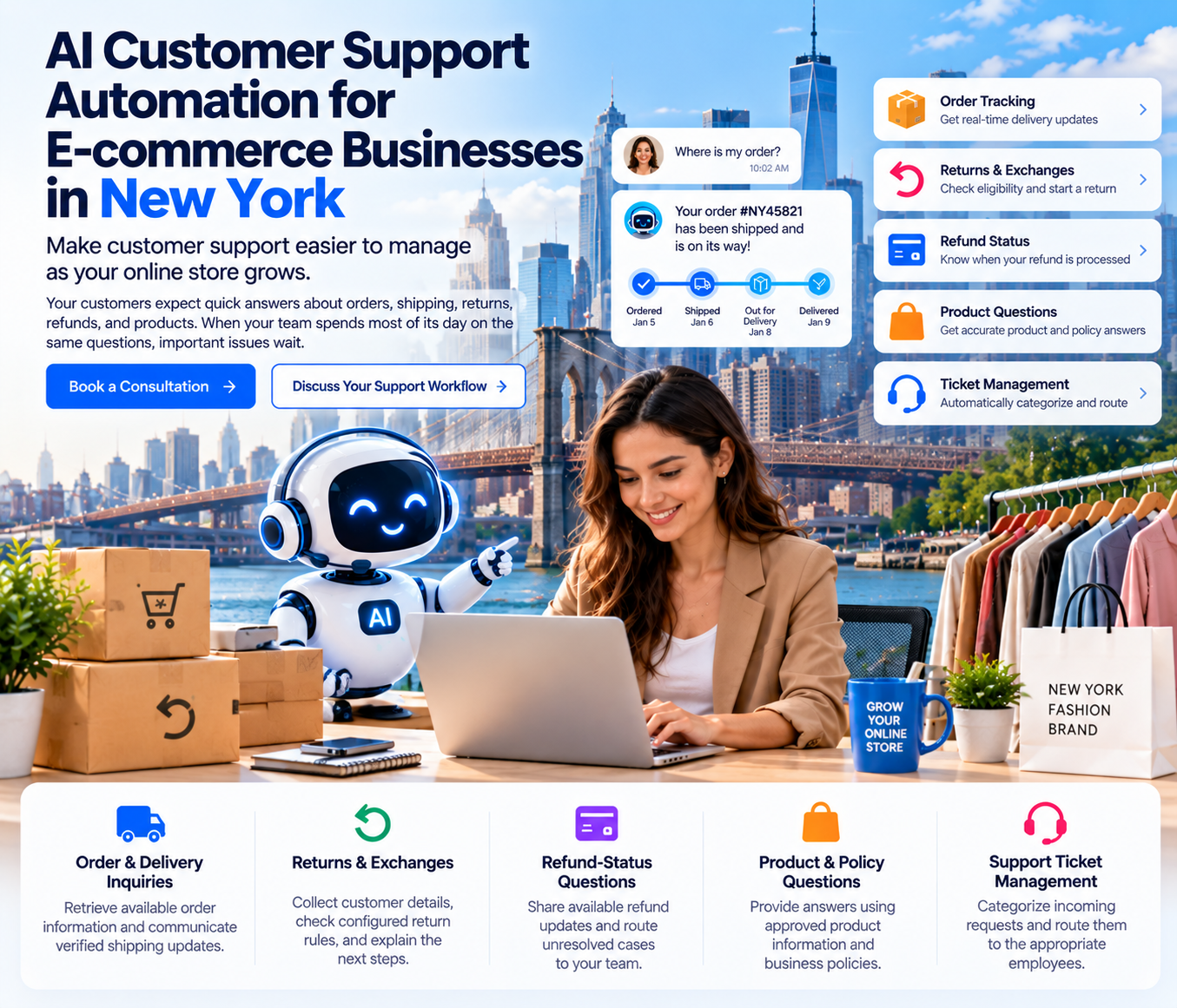
AI Customer Support Automation for E-commerce Businesses in New York
Make customer support easier to manage as your online store grows
Your customers expect quick answers about orders, shipping, returns, refunds, and products. When your team spends most of its day on the same questions, important issues wait.
Cor Advance Solutions helps e-commerce businesses explore AI customer support automation to manage repetitive inquiries, organize support workflows, and connect service processes with relevant business systems. Whether you run a fashion brand in Manhattan, a direct-to-consumer store in Brooklyn, or a growing online business serving customers across the United States, we assess your current process and identify where AI chatbots, AI agents, and workflow automation may fit.
What can we help automate?
Order and delivery inquiries
Retrieve available order information and communicate verified shipping updates.
Returns and exchanges
Collect customer details, check configured return rules, and explain the next steps.
Refund-status questions
Share available refund updates and route unresolved cases to your team.
Product and policy questions
Provide answers using approved product information and business policies.
Support ticket management
Categorize incoming requests and route them to the appropriate employees.
The challenge
The customer support challenges e-commerce businesses face
As order volume grows, support operations become hard to manage by hand. This is especially true for fashion, beauty, lifestyle, and multichannel retailers.
Problem 1
Your team keeps answering the same questions
“Where is my order?”
“Has my package shipped?”
“Can I return an item?”
“How long does a refund take?”
The problem
Each question looks simple, but hundreds of similar requests take time. Staff look up orders, check shipping, read policies, and write individual replies, leaving less time for complicated issues.
How AI helps
An assistant identifies common questions, requests the verification details it needs, retrieves the order status, and communicates the result. Questions it cannot answer reliably go to a support employee.
Business benefit
Less repetitive work, and more time for customers who need personal attention.
Problem 2
Seasonal sales create sudden support spikes
“Promotions and product launches”
“Black Friday and Cyber Monday”
“Holiday shopping and seasonal discounts”
The problem
A successful campaign brings more orders, and more questions about shipping, availability, payment confirmation, and returns. If support capacity does not grow with demand, response times rise and tickets pile up.
Automation does not remove the need for support staff or guarantee unlimited capacity.
How AI helps
Routine questions get consistent answers during busy periods, and unusual cases are routed to the right people.
Business benefit
Extra capacity for predictable requests during demand spikes.
Problem 3
Returns, exchanges, and refunds create confusion
“Return request”
“Eligibility review”
“Warehouse inspection”
“Refund or exchange”
The problem
A return passes through emails, spreadsheets, helpdesk tickets, and order systems. Each handoff is a point where the customer loses track of the status.
How AI helps
The workflow collects the order number and return reason, applies your return policy, explains the next steps, and sends authorized requests where connected systems support it. Damaged items, missing information, and disputed eligibility go to an employee.
Business benefit
Clearer return updates and less back-and-forth.
Problem 4
Conversations are spread across channels
“Website live chat”
“Support email”
“Customer service forms”
“Helpdesk systems”
The problem
A customer may explain a delivery issue in chat, then send an email because nothing has changed. Staff search several systems to understand the problem.
How AI helps
A multichannel workflow classifies requests, retrieves authorized customer information, and routes cases through your existing support process. Depending on the platforms, it may also reduce duplicate data entry.
Business benefit
More organized support without replacing every tool you use.
Problem 5
Inconsistent answers hurt the customer experience
“Different return explanations”
“Outdated delivery estimates”
“Old policy documents”
The problem
Employees may work from different documents or outdated information. That creates confusion and more contacts.
How AI helps
Answers come from approved sources such as product catalogs, FAQs, shipping and return policies, and warranty information. Your team defines those sources. When information is unclear, the system routes the question instead of guessing.
Business benefit
Consistent answers, with your policies kept under your control.
How it works
How AI customer support automation works
The system answers questions from verified information and performs only the actions you authorize. Anything that needs judgment goes to a person.
1
Customer asks a question
Through website chat, email, or a connected support channel.
2
The system identifies the request
Order status, product question, return request, or complaint.
3
Relevant information is retrieved
From approved sources or connected systems, limited to what the task needs.
4
The system answers or acts
It answers from verified information, or performs an action that is configured and authorized.
5
Judgment calls go to a person
Missing information, special approvals, disputes, and unusual cases reach your team with context attached.
6
Activity is recorded
Supported actions and escalations are logged, and the customer gets updates when verified information is available.
Answering and acting are different. An answer uses information. An action changes a record in an external system, so it follows defined permissions and approval rules.
Seasonal demand
Handle seasonal support spikes without losing control
Automation cannot promise unlimited capacity or clear a backlog on its own. Preparation before a campaign is what keeps routine answers consistent and urgent cases visible.
Before a major promotion, prepare:
Identify the most common questions from past campaigns
Update product information and support policies
Prepare approved responses for routine questions
Test order and shipping integrations before launch
Set clear escalation rules, such as refunds above a set amount
Monitor unresolved cases and workflow failures during the campaign
Illustrative scenario, not a client case
A Manhattan apparel brand prepares for a holiday sale
The team reviews last year's tickets and finds most questions were about shipping cutoffs, sale-item returns, and order status.
Before the sale, it updates the shipping cutoff and return answers, tests the order-status lookup on recent orders, and sets a rule that refunds above a set amount go to a supervisor.
During the sale, routine questions get consistent answers, and unusual cases reach the right person with the order context attached.
Workflows
Automate the most important e-commerce support workflows
Some tasks only need accurate information retrieval. Others involve several steps, connected systems, and employee approval. We assess each opportunity against your requirements.
A
Order tracking and delivery questions
The problem: Customers ask whether an order has shipped, where it is, and when it will arrive. Staff open several tools to answer.
How it works: The assistant collects the required order details, retrieves available order and shipping data, and shares verified updates such as shipped, tracking available, or delivery exception. It never guesses a delivery date.
Human control: Delivery disputes, missing packages, and incorrect tracking go to an employee.
The problem: Customers struggle to know whether an item qualifies. Staff check purchase dates, categories, windows, and exceptions by hand.
How it works: The workflow collects the order number, item, and return reason, checks your configured policy rules, and explains next steps. Where connected systems support it, it can create a return request or update the ticket.
Human control: Disputed eligibility, damaged-product claims, and policy exceptions are reviewed by a person.
The problem: Customers ask whether a refund was approved, processed, or credited. Those are separate stages that customers cannot see.
How it works: The assistant reports the refund status recorded in your systems and explains each stage in plain language. It distinguishes a refund being initiated from money appearing in the account.
Human control: Refund disputes, duplicate refund concerns, and failed transactions are escalated. Bank and payment-provider timing varies, so no exact arrival date is promised.
D
Product and policy questions
The problem: Product details, sizes, materials, shipping costs, and warranty terms are spread across documents, so answers vary.
How it works: Answers come from approved catalogs, FAQs, and policies. If stock cannot be verified, the assistant does not claim an item is available.
Human control: Product complaints and conflicting information go to the right employee.
E
Ticket classification and routing
The problem: Tickets reach the wrong queue. A delivery issue lands with the wrong team, and a refund dispute waits in general support.
How it works: Requests are categorized by topic and urgency and assigned by rules you define, such as order and delivery, returns, refunds, product questions, payment issues, and complaints.
Human control: Urgent, sensitive, or misclassified tickets stay open for employee review.
F
Human escalation
The problem: Some situations need judgment, investigation, or authorization.
How it works: A structured escalation flow recognizes cases such as a disputed delivery, a damaged product, a refund amount that does not match the purchase, a suspected fraudulent transaction, a return outside policy, serious dissatisfaction, or missing order data. It records the reason and routes the case with the relevant details.
Human control: Employees keep responsibility for decisions that need judgment or financial authorization.
Example
A complete workflow example
Illustrative: a hypothetical Brooklyn fashion brand, not a client implementation
Step 1
Customer question
"I received my jacket, but I need a different size. Can I exchange it?" The assistant identifies an exchange request.
Step 2
Order lookup
The assistant requests the verification details your process requires, then retrieves the order if permissions allow.
Step 3
Delivery-status check
The shipping record confirms delivery. If the status is unclear, the assistant does not assume delivery happened.
Step 4
Return-eligibility check
The approved exchange policy is applied to the purchase date, window, category, restrictions, and item condition.
Step 5
Next-step message
If eligible, the customer gets the exchange steps. An exchange is not promised, and no stock is reserved, until the connected system confirms it.
Step 6
Human escalation
If the jacket arrived damaged, the case goes to an employee with the order history, the customer's message, and the reason for escalation.
What the employee receives
The customer and order reference, product details, the original question, delivery status, return eligibility, the reported issue, the reason for escalation, and the workflow history. The investigation starts from the collected facts, not from zero.
Multichannel support
Manage website chat, email, and support tickets more consistently
Customers judge the answer, not the channel. One set of approved answers and one routing set keeps every channel consistent.
Website chat
Answers approved questions about products, orders, delivery, and returns. Retrieves relevant information where connected systems permit.
Email
Identifies the main concern, categorizes the request, prepares a draft, and assigns it to the right queue. Sensitive replies can be reviewed before sending.
Support tickets
Automates categorization, priority assignment, information retrieval, and routing inside your existing helpdesk, where supported.
What a consistent process can include
Approved answers across supported channels
Issues identified consistently at the start
Order details retrieved only when authorized
Less duplicate data entry where integrations allow
Requests routed to the right department
A clear path to a human from every channel
A single conversation history is not assumed. It depends on the platforms you use and how they are connected.
Choosing the right tool
AI chatbots vs. AI agents for e-commerce
A chatbot mainly answers questions. An AI agent can coordinate several steps and interact with connected systems through authorized actions. Neither should have unrestricted access to customer accounts, payments, refunds, or sensitive data.
AI chatbot
AI agent
Main purpose
Answer customer questions
Complete defined tasks and workflows
Typical tasks
FAQs, product and policy answers
Order lookup, ticket coordination, approved actions
External system access
May use connected information sources
Authorized tools and integrations only
Authorized actions
Depends on configuration
Permitted actions only
Human approval
Needed for sensitive cases
Needed for sensitive or high-impact actions
Best fit
Routine, repeatable questions
Connected, multi-step support workflows
Need repeat answers?A custom AI chatbot may be enough.
Need order data and coordination?An AI agent may be the better fit.
Need both?Some stores combine them. Start from your volume and workflow, not the tool.
Replacing your whole stack is rarely necessary. We assess which systems can connect and where automation adds value. As an ecommerce automation company, we check compatibility, API permissions, data availability, and security requirements before any integration is confirmed.
E-commerce platforms
Orders, products, and customer records through supported APIs. Shopify and others depend on configuration and permissions.
Order management
Fulfillment status, cancellations, and operational updates.
Shipping and tracking
Dispatch and delivery events. Verified carrier updates are kept separate from estimates.
Helpdesk and CRM
Tickets, customer history, categories, and assignment rules.
Inventory systems
Stock and availability answers, where supported.
Knowledge bases
Approved catalogs, FAQs, and policies that keep answers consistent.
Payment and refunds
Refund information or approved refund actions, where supported and authorized, with audit records.
Evaluating AI chatbot development in New York? Ask which systems will connect, which permissions are needed, and which cases go to a person.
3Document policies, decision rules, and exception cases
4Assess systems, APIs, data quality, and permissions
5Design the workflow and human-approval controls
6Build and integrate the solution
7Test routine scenarios and edge cases
8Run a controlled pilot with human review
9Deploy in stages and monitor performance
10Improve the workflow using operational evidence
Security and oversight
Security, accuracy, and human oversight
Customer support data is sensitive. Access and accuracy are design requirements from the start. Specific certifications, compliance status, data locations, and guarantees are confirmed for each engagement, not assumed.
Permission-based access
Each workflow receives only the fields and actions it needs.
Approved knowledge sources
Answers come from named, maintained sources, not from memory.
Customer verification
Account details are shared only after the verification you define.
Controlled actions
Retrieving information is separate from changing records, such as cancellations or refunds.
Duplicate-action prevention
A repeated event does not trigger a second refund or duplicate ticket.
Audit logs
Important actions, approvals, and handoffs are recorded for review.
Escalation rules
Sensitive and high-value cases always have a route to a person.
Testing and monitoring
Routine and edge cases are tested before launch, and reviewed afterward.
Measure the value
How to measure business value
Set a baseline before launch, then compare after deployment, using the same ticket definitions.
Average first-response time
Average resolution time
Share of tickets resolved without human intervention
Human escalation rate
Repeat-contact rate
Refund and workflow accuracy
Customer satisfaction
Cost per resolved ticket
Automation rate alone is not enough. A workflow that closes many tickets but causes repeat contacts or wrong refunds is not working. Read the metrics together.
Why Cor Advance Solutions
A requirements-led approach to AI and automation
The workflow comes first
We understand your support process before choosing the technology.
Focused automation
We prioritize repetitive, well-defined, lower-risk tasks.
Connected systems
We connect relevant systems where technically feasible, and say plainly where they are not.
Human controls
Approval steps and exception handling are part of the design.
Tested before wider use
Routine requests, unusual cases, and integration failures are tested first.
Measured against your goals
Results are tracked against agreed business metrics.
Use cases
Where this fits for New York e-commerce businesses
These are target use cases, not claims that we have already served these businesses.
Manhattan fashion and retail
Size and availability questions, order tracking, return and exchange requests, and refund-status updates.
Brooklyn direct-to-consumer brands
Product and policy answers, order updates, and return workflows, prepared ahead of each drop or campaign.
New York multichannel retailers
Ticket classification, order lookup through authorized integrations, and consistent answers across channels.
Growing stores serving the US
Order tracking, shipping inquiries, refund communication, and campaign preparation, applied the same way in every state.
FAQ
Frequently asked questions
What is AI customer support automation for e-commerce businesses?+
It uses AI chatbots, AI agents, and connected workflows to handle suitable customer inquiries, such as order status, product and policy questions, returns, refund-status updates, and ticket classification. Depending on integrations and permissions, it can also retrieve information or perform approved actions. Complex and sensitive requests go to human employees.
How can New York retailers automate order tracking questions?+
Connect a support assistant to suitable order and shipping systems with appropriate permissions. The assistant collects the required verification details, retrieves available order information, and shares verified shipping updates. If tracking is missing or a delivery is disputed, the request goes to a support employee.
Can AI automate returns and exchanges for an online store?+
Yes. AI can collect return requests, retrieve order information, check configured policy rules, gather return reasons, and explain next steps. Where supported, it can also coordinate authorized actions. Damaged products, disputed eligibility, and policy exceptions should be reviewed by an employee before a decision is made.
Can an AI chatbot connect with a Shopify store?+
It can, using supported APIs and appropriate permissions. The assistant may retrieve order information, product details, and inventory data, depending on the integration. Functionality depends on API access, store configuration, authentication, and the agreed scope, and compatibility is assessed before development begins.
What is the difference between an AI chatbot and an AI agent?+
A chatbot mainly answers questions from approved information. An AI agent can coordinate several steps, retrieve information from connected applications, and perform authorized actions within defined permissions. Both may need human approval for sensitive requests.
Can AI customer support automation work with email and helpdesk tickets?+
Yes, where your email and helpdesk platforms support the integration. The workflow can classify messages, identify the issue, retrieve relevant information, prepare responses, and route tickets by your rules. Whether chat, email, and tickets share one conversation history depends on the platforms and how they are connected.
How does automation handle unusual refund requests?+
It does not approve or deny them on its own. Disputed, high-value, duplicate, or suspected-fraud cases follow your escalation rules. The workflow gathers the customer's information and available transaction details, then routes the case to an authorized employee.
What information is required to implement AI customer support automation?+
Typically: your common support questions, written policies, a list of your systems, named policy and escalation owners, and access to test data or an environment where available. Technical requirements may include API access, authentication details, and platform permissions.
How can an online retailer measure the value of AI support automation?+
Track first-response time, resolution time, the share of eligible tickets resolved without a person, escalation rate, repeat contacts, customer satisfaction, and cost per resolved ticket, plus refund and workflow accuracy. Compare these before and after launch. Automation rate alone does not show success.
How can a New York e-commerce business get started with Cor Advance Solutions?+
Book a consultation. We review your current support process, identify repetitive tasks, assess the relevant systems, and recommend which opportunities to test first, based on your requirements and technical feasibility.
Ready to Improve Your E-commerce Customer Support Workflow?
Discuss your order inquiries, returns, customer support bottlenecks, and integration requirements with Cor Advance Solutions to identify practical opportunities for AI automation.